ENJ Excavators
ENJ Excavators: Complete Game Guide
Learn how to play ENJ Excavators, build passive gem production, use upgrades and adverts, compete for seasonal ENJ prizes, and benefit from supported NFTs.
ENJ Excavators Overview
ENJ Excavators is an idle mining game built around a simple loop: mine gems, spend them on automated Goblins, improve those Goblins with upgrades, and finish the weekly season as high on the leaderboard as possible.
Your total production is shown as gems per minute. Increasing that number makes both passive collection and active mining more valuable. Adverts, offers and supported NFTs can add further boosts.
How to Play ENJ Excavators
- Tap the large crystal on the Mine screen to excavate your first gems.
- Open Automate and spend gems on Goblins. Goblins collect gems automatically and increase your gems-per-minute rate.
- Buy more Goblins to unlock stronger production tiers as their costs become affordable.
- Open Boosts to improve Goblins you already own and review global production bonuses.
- Use optional adverts and offers when available to increase your production bonus and work towards the season's prize eligibility requirement.
- Check Season to see your current rank, the season countdown, eligibility progress and estimated ENJ reward.
The best early strategy is to keep reinvesting. Active mining gets you started, but automated production is what keeps your gem total growing between play sessions.
Mine: Excavate Gems by Tapping
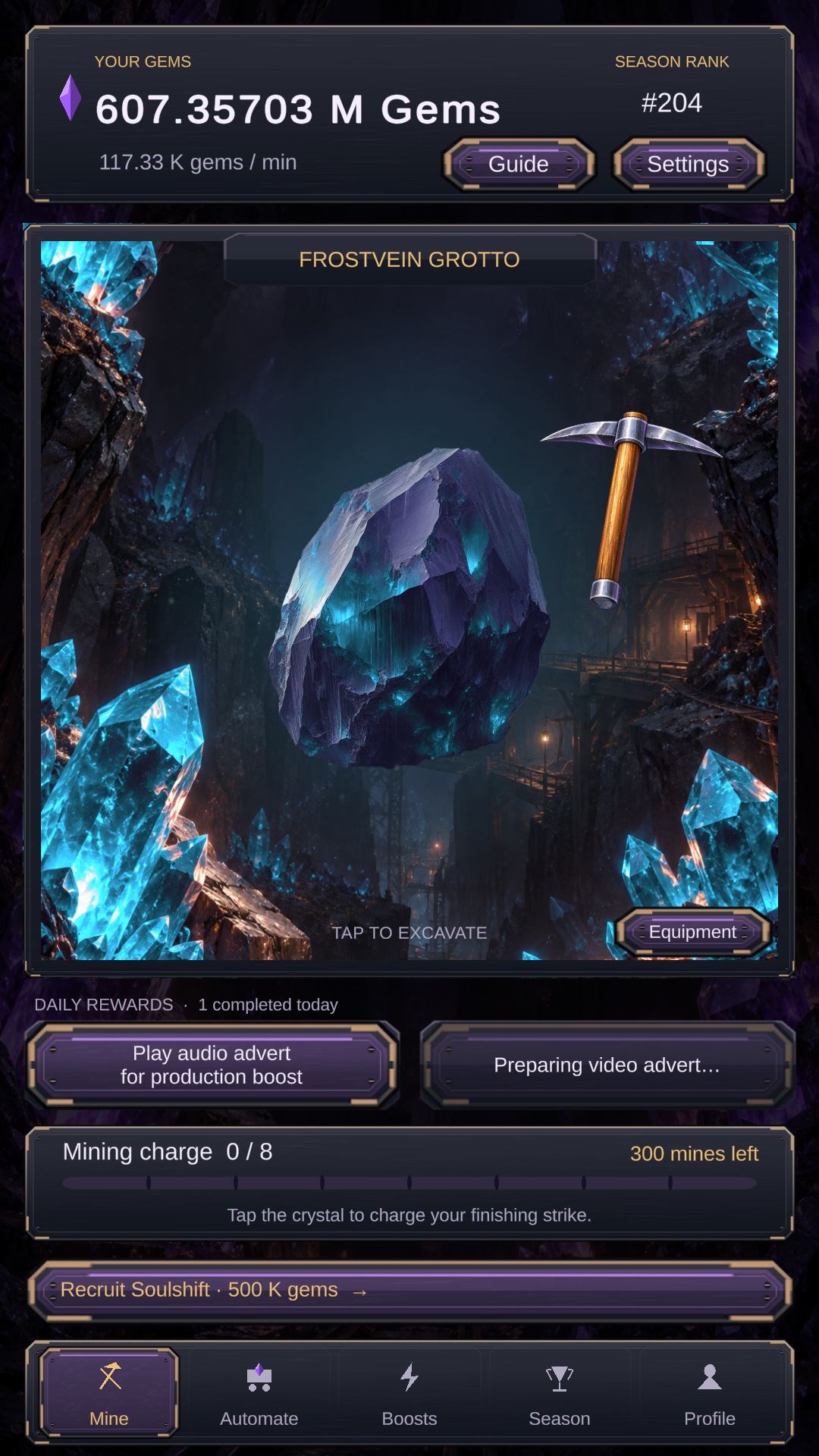
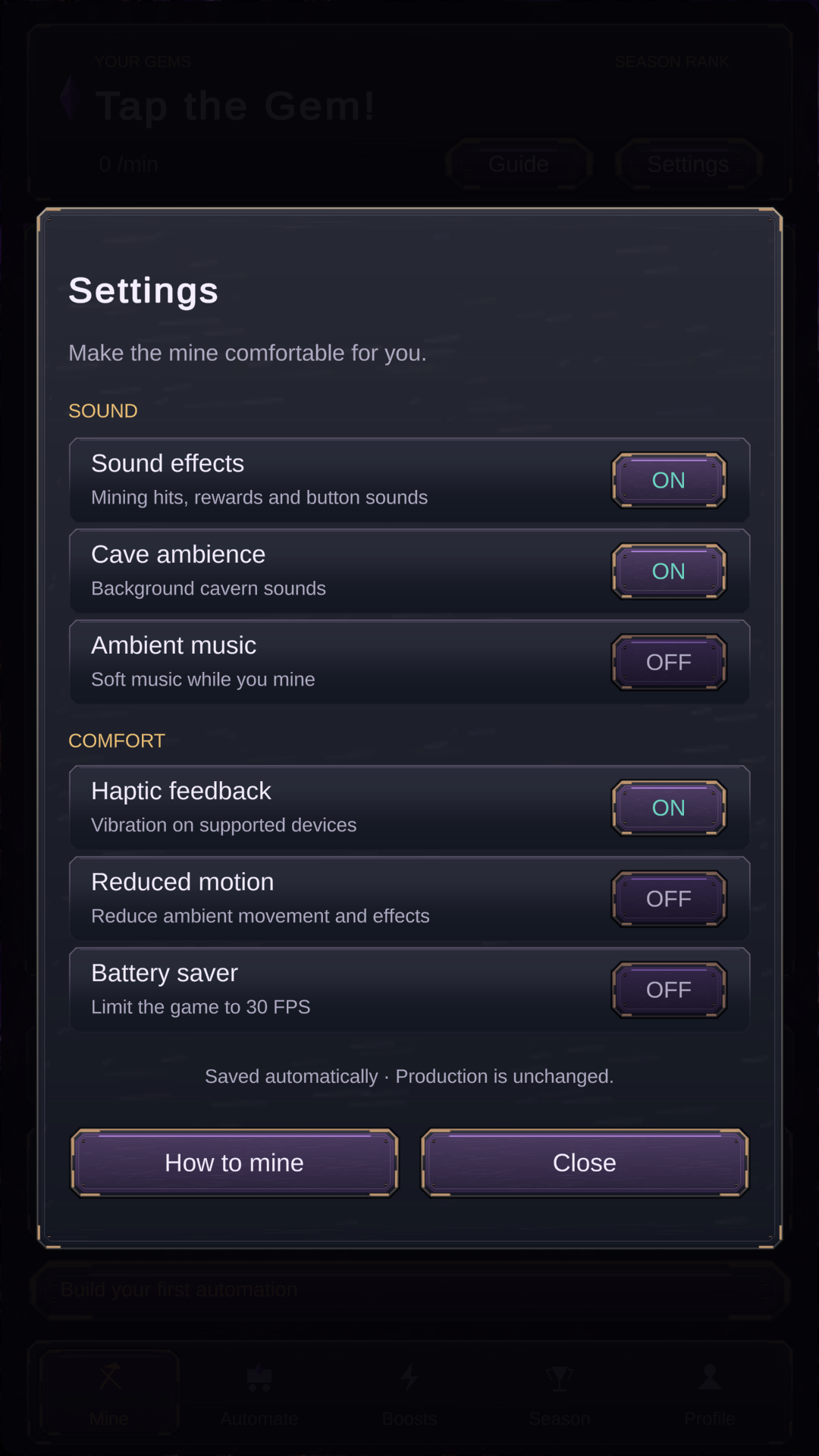
The Mine screen is the game's active mining area. Tap the crystal to fill the mining charge and complete a finishing strike for gems. The reward grows with your production, so tapping becomes more valuable after you have hired and upgraded Goblins.
Mines Remaining shows how many active mining attempts you currently have. Attempts replenish over time, so return later if you use them all.
The top of the screen shows your current gem balance, gems-per-minute production and leaderboard rank. The bottom navigation takes you to the game's five main areas:
- Mine — actively excavate the large crystal.
- Automate — hire Goblins for passive production.
- Boosts — improve Goblin output and review global bonuses.
- Season — view the leaderboard, season timer and rewards.
- Profile — manage your wallet, collection, rewards and community links.
Automate: Hire Goblins
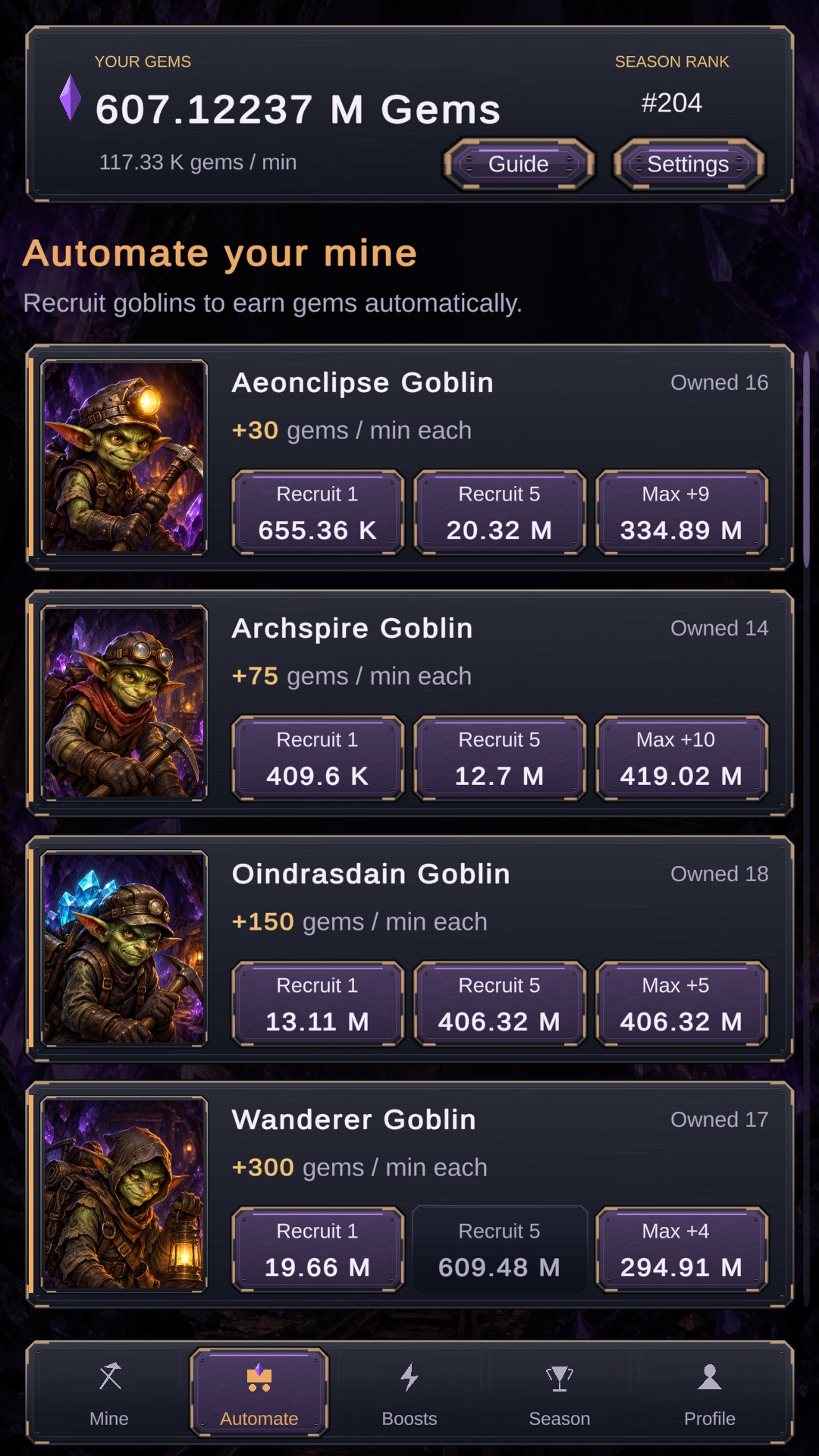
Goblins are your automated miners. Each Goblin type has its own base gems-per-minute rate, and later Goblins produce more than earlier ones. Once hired, they keep adding to your production without further tapping.
Every additional Goblin costs more than the previous one. The purchase controls let you buy one, buy five, or spend the maximum amount you can currently afford.
Progression Tips
- Buy your first automated Goblin as soon as possible so your balance grows passively.
- Compare the price of another Goblin with the price of upgrading one you already own.
- Do not save every gem for the next tier if cheaper purchases offer a faster production increase.
- Use the Max button carefully: it is convenient, but it can spend the gems you intended to use on another tier.
The live Automate screen is the authority for current costs and production rates, which may be adjusted as the game is balanced.
Boost Your Production
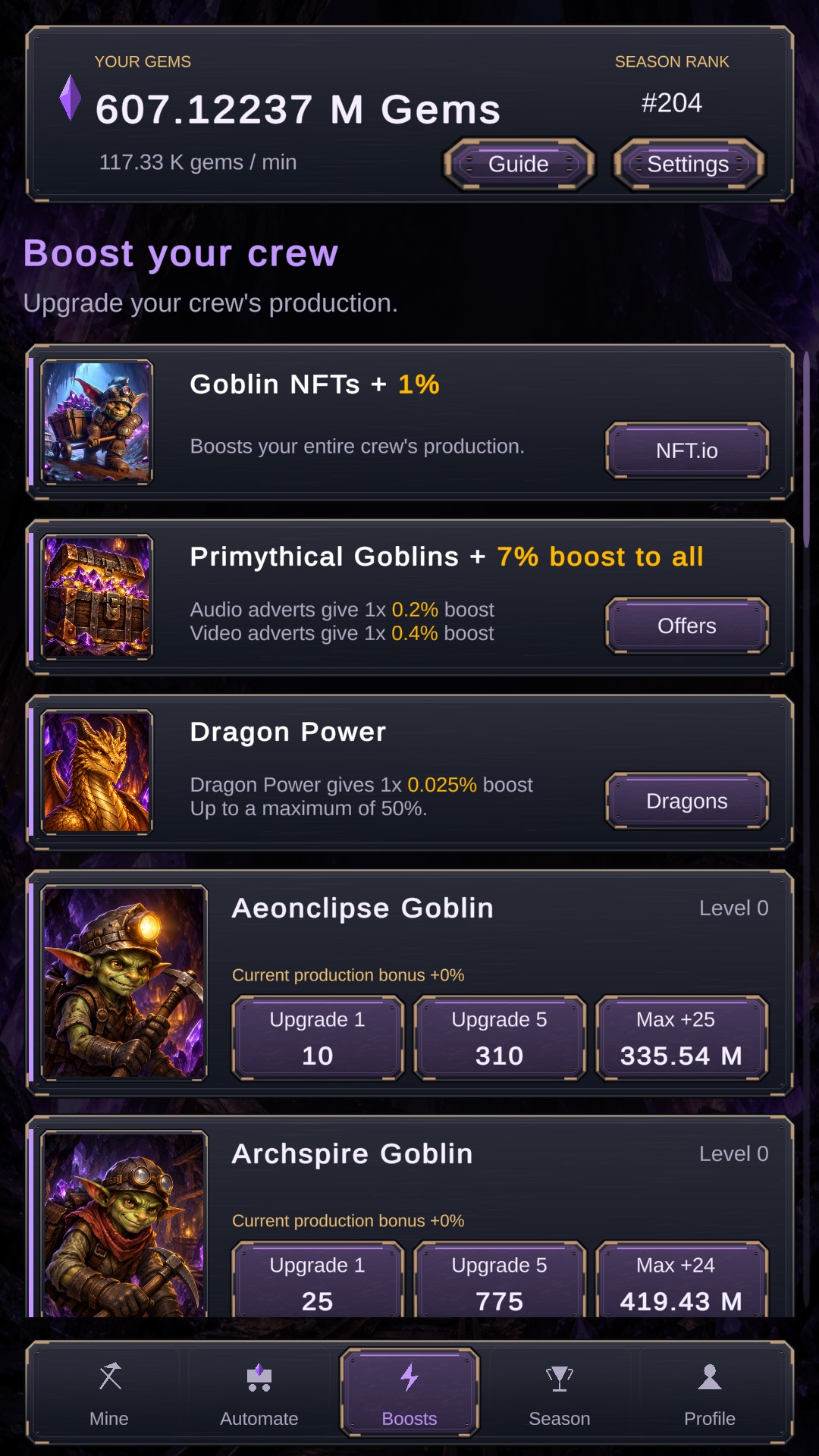
The Boosts screen improves the Goblins you already own. A Goblin type must be hired before its upgrade can be purchased. Each standard upgrade adds another 10% to that Goblin type's production, and upgrade prices rise as you buy more.
Like Automate, the Boosts screen supports single, five-at-a-time and maximum affordable purchases. A useful approach is to spread upgrades across the Goblins contributing most of your current rate instead of buying them blindly from top to bottom.
Global bonuses are also displayed here. These may come from adverts, offers, ENJ Excavators NFTs, Enjin Multiverse assets or other supported items connected to your account.
Adverts and Offers
Optional audio adverts, video adverts and offers can increase your production bonus. Completed qualifying activities also count towards the weekly advert requirement used for seasonal prize eligibility.
- The first adverts completed each day can provide a larger production increase.
- Some supported NFTs can extend or improve those enhanced advert rewards.
- Daily availability and limits are shown in the game.
- The current weekly eligibility target is shown on the Season screen; check it before the season ends.
Advert availability depends on provider inventory, device and region. If no advert is available, try again later. You do not need to keep an advert running after it has completed and the game has credited it.
Weekly Seasons, Leaderboard and ENJ Prizes
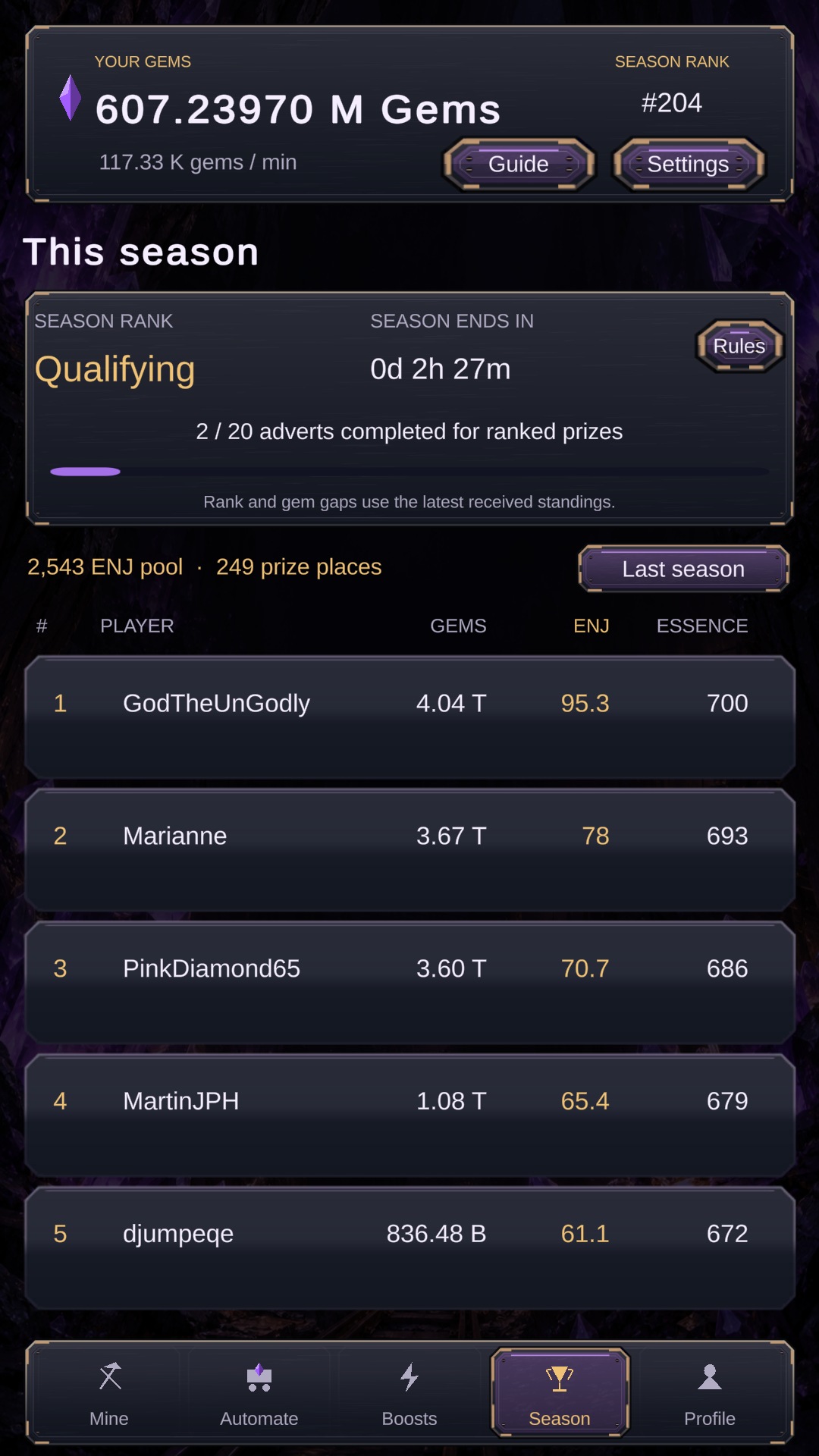
ENJ Excavators runs in weekly seasons. Your leaderboard position is based on the gems you hold when the season finishes: more gems means a higher rank.
The Season screen shows the live season countdown, your rank, the current prize pool, the number of prize positions and your advert-eligibility progress. These values can change, so use the in-game screen rather than an old published prize table.
What Resets?
At the start of a new season, seasonal progression resets. This includes your gem balance, automated Goblins, standard Goblin upgrades, production rate, active-mining balance and weekly advert progress. Half of your accumulated advert/offer production bonus carries into the next season.
Wallet-linked NFT ownership is checked separately and is not consumed by the seasonal reset. After the reset, rebuild your automation and upgrades to begin climbing the new leaderboard.
Season Checklist
- Check the countdown rather than relying on a date copied from an old announcement.
- Complete the qualifying advert target shown in Season before the deadline.
- Keep reinvesting while a purchase will produce more gems before season end.
- Near the end, compare the value of another upgrade with simply holding your gems for rank.
How to Withdraw ENJ
The wallet-linking and withdrawal controls are found under Profile in the bottom navigation. Link the destination wallet before attempting a withdrawal.
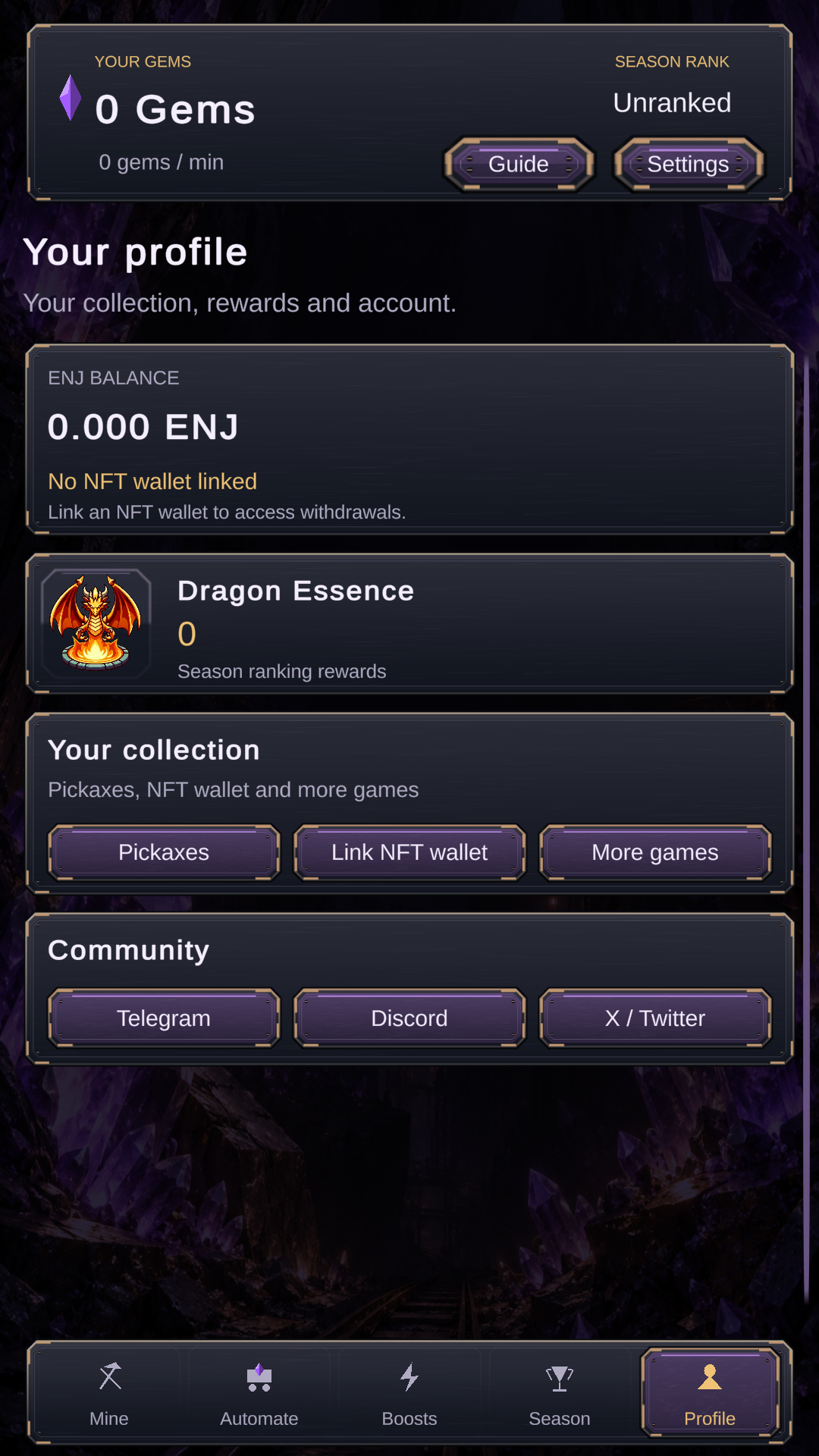
- Open Profile using the person button at the bottom-right of the game.
- Select Link NFT Wallet. Scan the displayed QR code with Enjin Wallet and complete the verification in the wallet.
- Return to Profile after the wallet address has been linked successfully.
- Select Withdraw. Review the linked wallet address and the withdrawable ENJ balance before confirming.
- Submit the withdrawal and wait for the success message. The ENJ will then be sent to the linked wallet.
The Withdraw button requires a withdrawable balance of at least 1 ENJ. The game withdraws your full available ENJ balance, so check the linked address carefully before submitting.
NFTs and Pickaxes
ENJ Excavators recognises supported assets held in the wallet connected to your account. The game uses three broad groups of NFT benefits:
- ENJ Excavators Goblin NFTs provide global mining-power bonuses.
- Seasonal ENJ Excavators NFTs provide smaller stackable global bonuses.
- Enjin Multiverse NFTs can boost matching Goblins or provide special utility.
Pickaxe NFTs
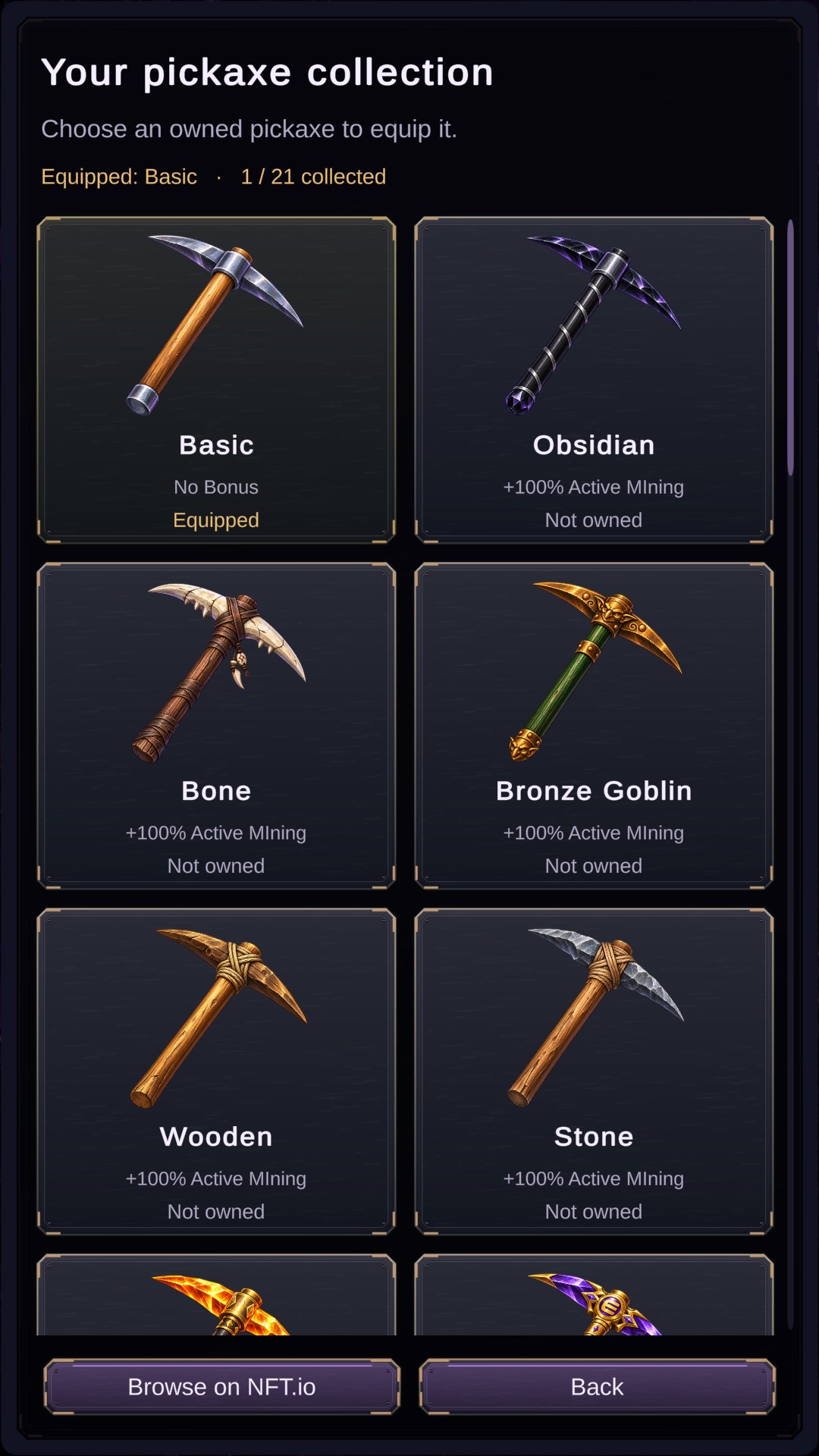
Supported pickaxe NFTs improve active mining and stack according to how many different eligible pickaxes you hold. The combined active-mining multiplier rises from 2× with one pickaxe to a maximum of 3× with nine or more.
| Eligible pickaxes held | Active-mining multiplier |
|---|---|
| 1 | 2.00× |
| 2 | 2.30× |
| 3 | 2.50× |
| 4 | 2.70× |
| 5 | 2.80× |
| 6 | 2.85× |
| 7 | 2.90× |
| 8 | 2.95× |
| 9 or more | 3.00× |
Open the pickaxe collection from the game to see which assets are currently supported and whether your wallet has been detected correctly.
ENJ Excavator Goblin NFTs
ENJ Excavators Goblin NFTs boost your global mining power. Their bonuses stack, so holding more than one supported asset can increase the total benefit:
- Goblin Cart — +1% global mining power.
- Goblin Drill — +10% global mining power.
- Goblin Drill Squad — +100% global mining power.
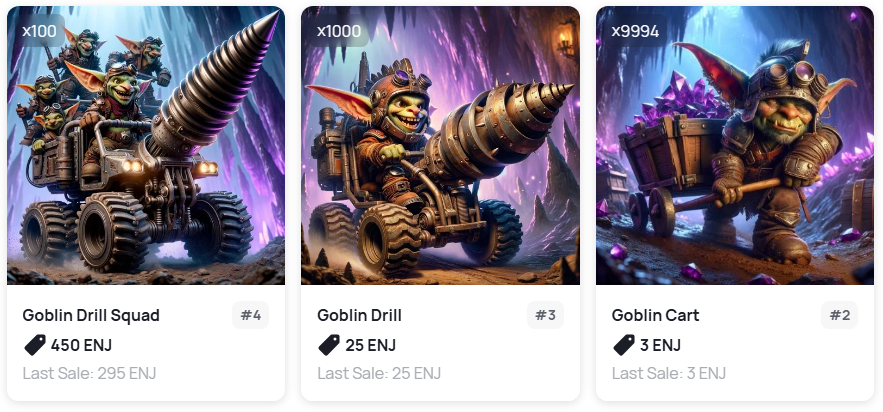
Browse the ENJ Excavators collection on NFT.io.
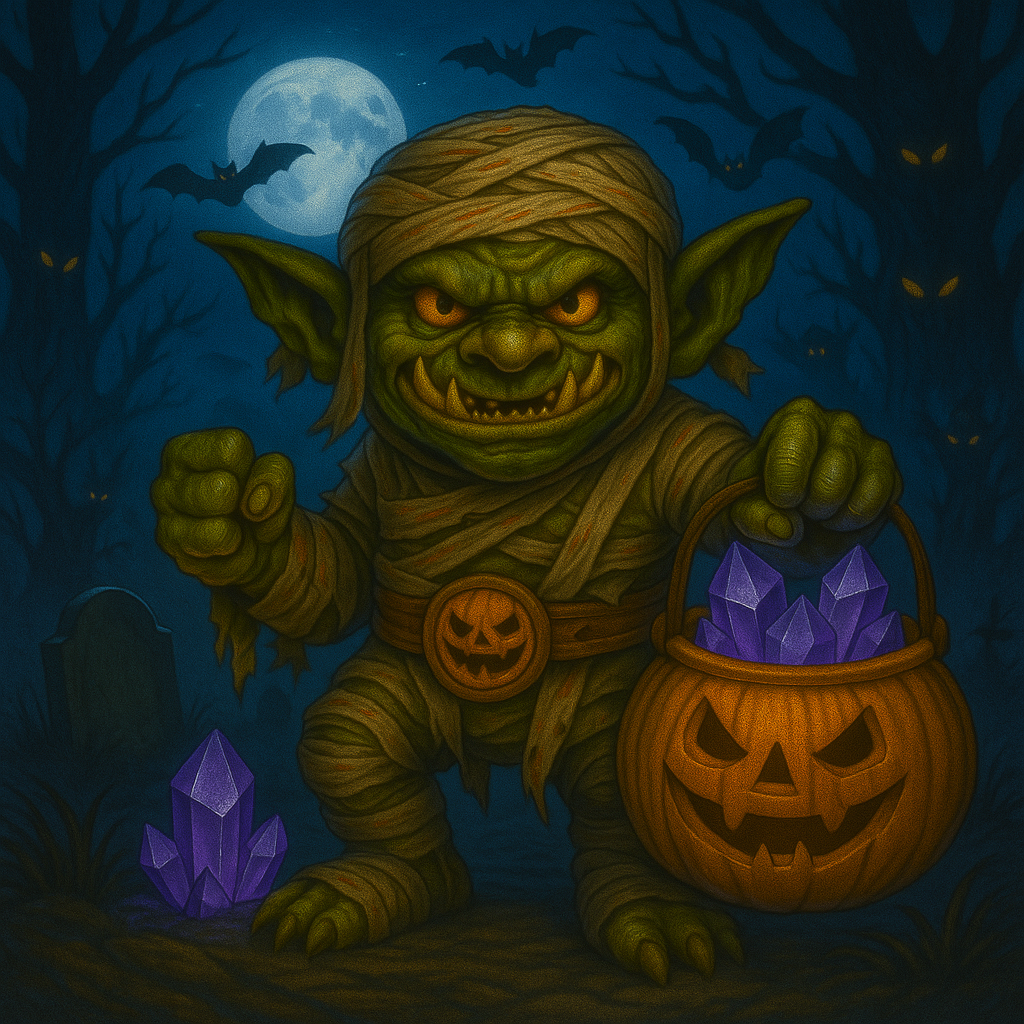
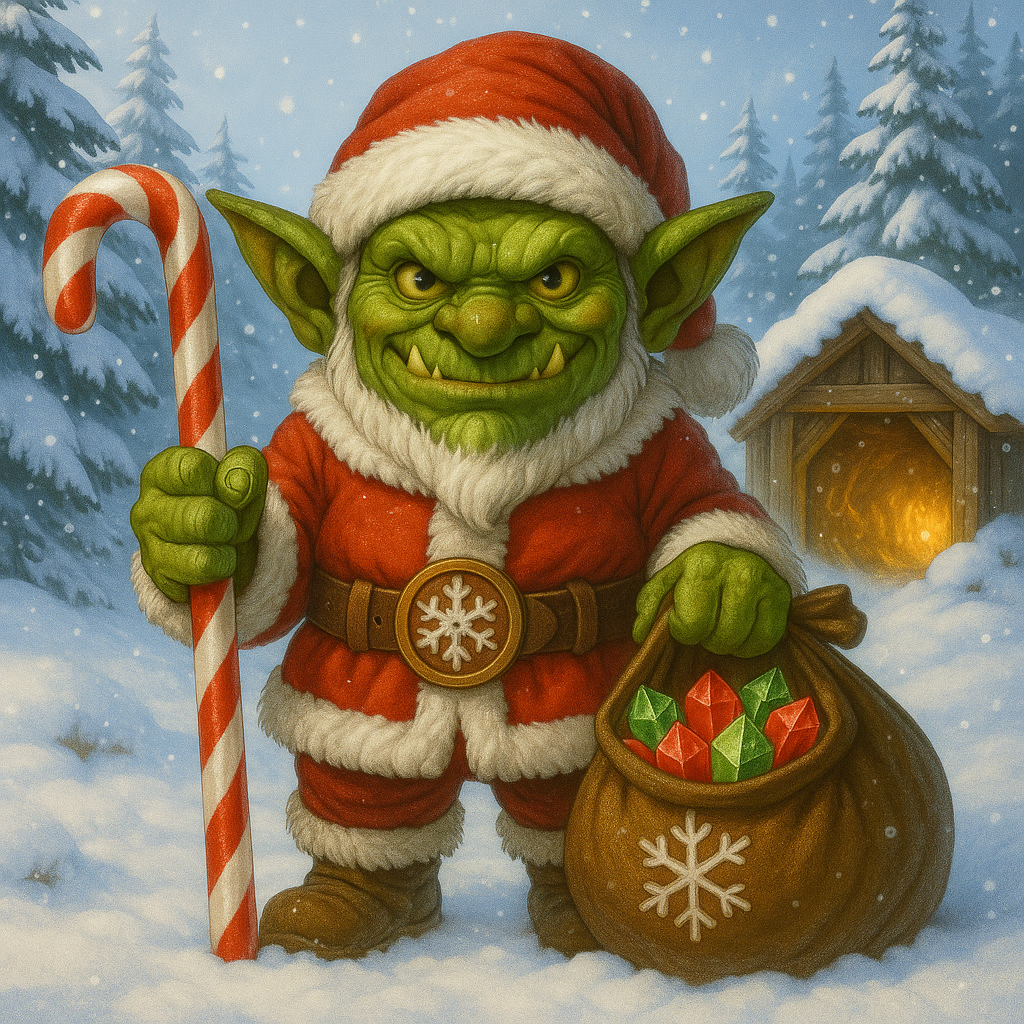
EE Seasonal NFTs
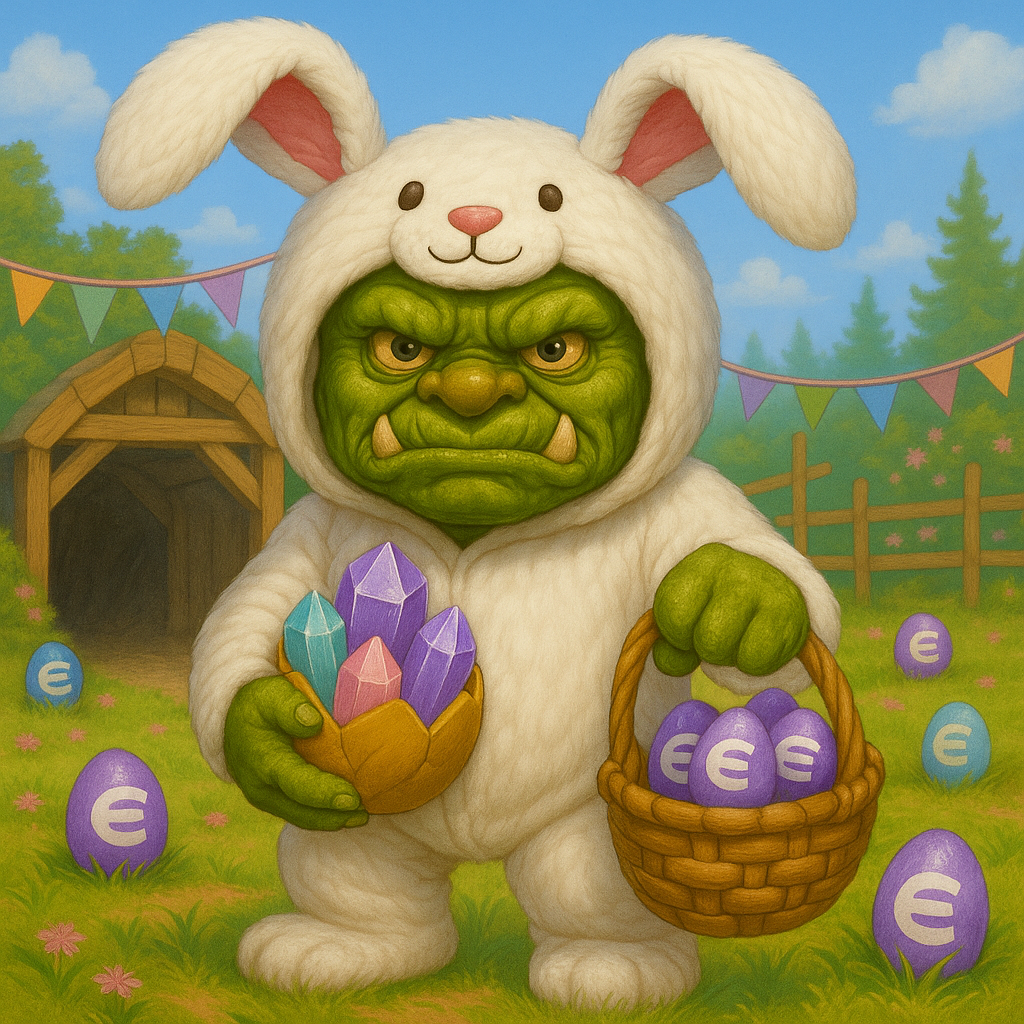
Seasonal NFTs provide a +1% global mining boost and can be stacked. Availability and supply information is shown in the ENJ Excavators collection on NFT.io.
| Easter | Halloween | Xmas |
|---|---|---|
 |
 |
 |
Enjin Multiverse NFTs
ENJ Excavators supports Enjin Multiverse assets. Most matching Multiverse NFTs add a +20% production boost to their associated Goblin type. For example, an Archspire asset boosts the production of Archspire Goblins.
Some assets have a different effect. The Primythical Chest, for example, increases the number of adverts that can receive the enhanced daily reward.
Visit the Enjin Multiverse page for information about Multiverse assets.
Enjin Multiverse Quests
Current objectives and progress are tracked on the Multiverse Quest platform.
ENJ Excavators objectives can include recruiting specified high-tier Goblins and finishing a weekly season while holding a required gem balance. Objective thresholds, Essence rewards and deadlines are live data, so check the platform before deciding what to pursue.
Where Can I Play ENJ Excavators?
ENJ Excavators is available for Android from the Google Play Store.